




 Awakelet
Claude · Cursor · Siri
Ogni funzione può essere richiamata da un assistente IA. Tutto gira in locale sul Mac: l’IA invia una richiesta, Awakelet fa il lavoro e Awakelet non carica nulla online.
Awakeletcon il tuo assistente IA
Collega la tua IA in 3 passaggi
03- 1
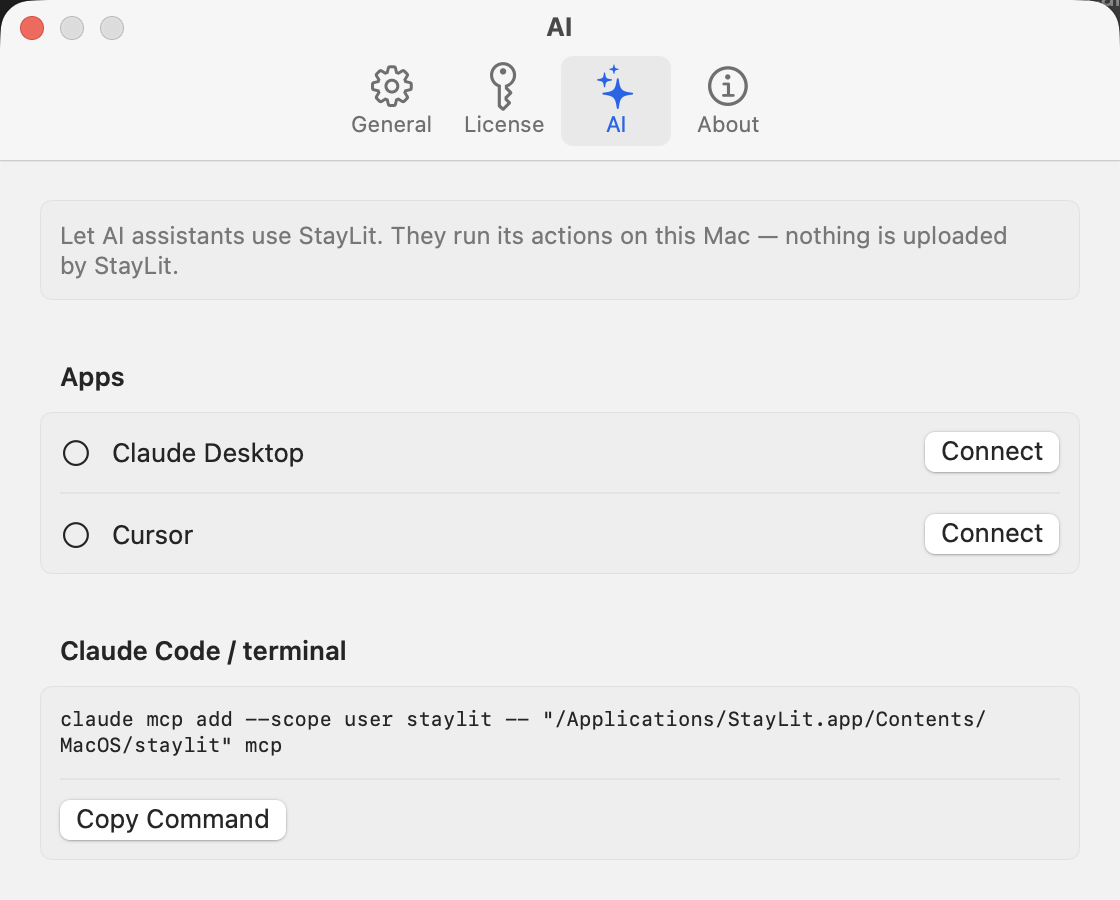
Nella barra dei menu in cima allo schermo, fai clic sull’icona di Awakelet → Settings…. Fai clic sulla scheda AI.
- 2
Fai clic su Connect (Collega) accanto a Claude Desktop o Cursor. Niente da digitare, nessun codice.
- 3
Chiudi del tutto l’app IA e riaprila. Fatto: ora chiedi con parole tue, per esempio: “Usa Awakelet: Tieni sveglio il Mac per 3 ore, poi mandalo in stop”
Siri e Comandi Rapidi: Le azioni compaiono nell’app Comandi Rapidi sotto Awakelet.
Esempi di richieste
05- “Usa Awakelet: Tieni sveglio il Mac per 3 ore, poi mandalo in stop”
- “Usa Awakelet: Tienilo sveglio finché Final Cut non finisce l’esportazione”
- “Usa Awakelet: Cosa tiene sveglio il mio Mac?”
- “Usa Awakelet: Spegni il Mac alle 23:30”
- “Usa Awakelet: Smetti di tenere sveglio il Mac”
Per utenti esperti: Claude Code, configurazione manuale, elenco degli strumenti, riga di comando
Claude Code
Impostazioni → IA → Copia comando, poi incollalo nel Terminale.
Configurazione MCP manuale:
{
  "mcpServers": {
    "awakelet": {
      "command": "/Applications/Awakelet.app/Contents/MacOS/awakelet",
      "args": ["mcp"]
    }
  }
}
Strumenti (6)
Nomi e descrizioni degli strumenti sono in inglese — esattamente ciò che riceve il tuo assistente IA.
| Strumento | Cosa fa | Modifica file? |
|---|---|---|
keep_awake | Prevent this Mac from idle-sleeping until a condition is met (whichever comes first): duration, a clock time, an app quitting, a process exiting, or downloads in ~/Downloads finishing. With no condition it stays awake until stop_keep_awake. Optionally sleep or shut down afterwards (1-minute cancellable warning). Replaces any current keep-awake session. | Sì |
stop_keep_awake | Stop the current Awakelet keep-awake session; the Mac sleeps normally again. Does not sleep the Mac and does not cancel a scheduled sleep/shutdown. | Sì |
awake_status | What is keeping this Mac awake right now: Awakelet's session (and time left), any scheduled sleep/shutdown, and every other app or process preventing sleep (e.g. Zoom, caffeinate). Read-only. | No |
schedule_power | Put the Mac to sleep or shut it down at a time, independent of keep-awake. The user gets a 1-minute warning and can cancel. Apps are asked to save documents on shutdown. Only one schedule at a time (replaces the previous one). | Sì |
battery_status | Battery charge %, charging / plugged-in state, time left (or to full), cycle count and health. Check before starting a long job on battery. Read-only. | No |
cancel_schedule | Cancel a scheduled sleep or shutdown, including the 1-minute countdown after a keep-awake session ends. | Sì |
Riga di comando
awakelet list
awakelet keep_awake --duration 3h --then sleep