




 Awakelet
Claude · Cursor · Siri
Un asistente de IA puede usar cada función. Todo se ejecuta localmente en el Mac: la IA envía una solicitud, Awakelet hace el trabajo y Awakelet no sube nada.
Awakeletcon tu asistente de IA
Conecta tu IA en 3 pasos
03- 1
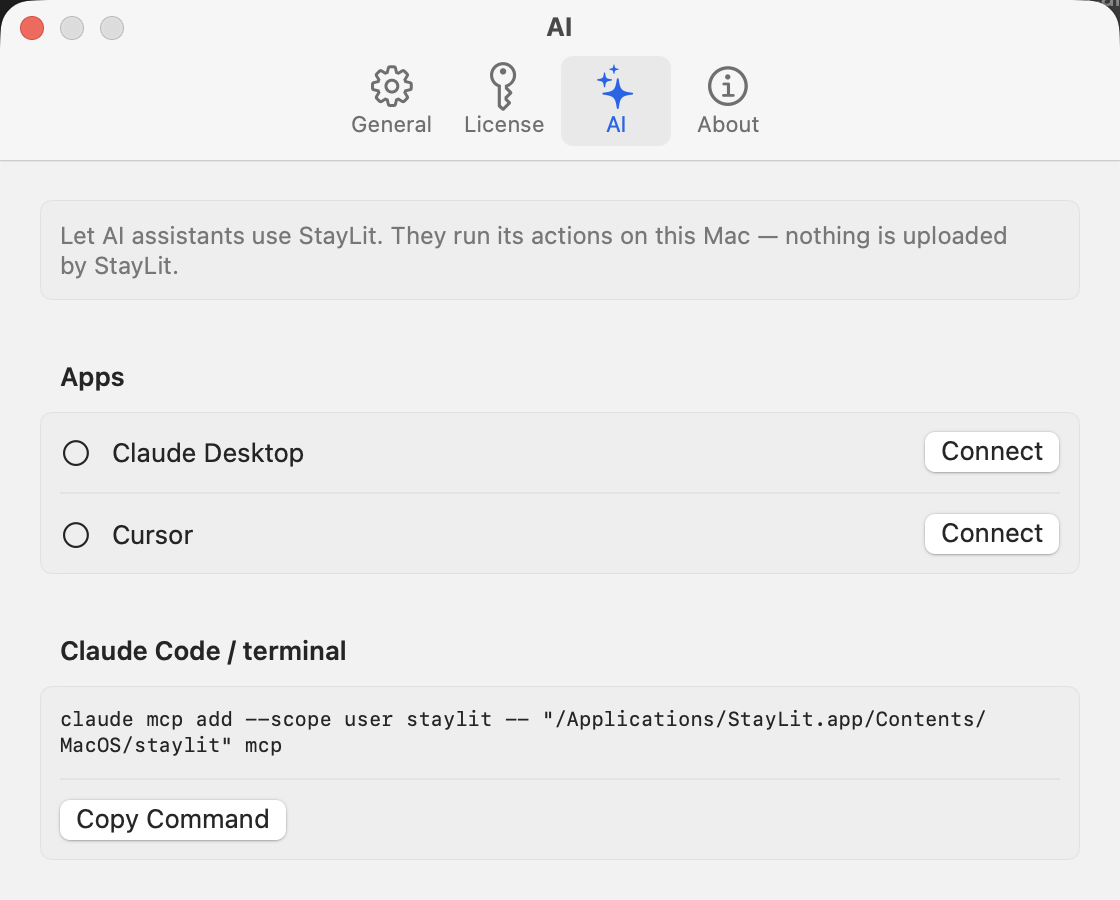
En la barra de menús, arriba del todo, haz clic en el icono de Awakelet → Settings…. Haz clic en la pestaña AI.
- 2
Haz clic en Connect (Conectar) junto a Claude Desktop o Cursor. Sin escribir comandos, sin código.
- 3
Cierra por completo la app de IA y vuelve a abrirla. Listo: ahora pídele las cosas con tus palabras, por ejemplo: “Usa Awakelet: Mantén mi Mac activo 3 horas y luego deja que entre en reposo”
Siri y Atajos: Las acciones aparecen en la app Atajos, en Awakelet.
Ejemplos de solicitudes
05- “Usa Awakelet: Mantén mi Mac activo 3 horas y luego deja que entre en reposo”
- “Usa Awakelet: Mantenlo activo hasta que Final Cut termine de exportar”
- “Usa Awakelet: ¿Qué mantiene activo mi Mac?”
- “Usa Awakelet: Apaga el Mac a las 23:30”
- “Usa Awakelet: Deja de mantener activo el Mac”
Para usuarios técnicos: Claude Code, configuración manual, lista de herramientas, línea de comandos
Claude Code
Ajustes → IA → Copiar comando y luego pégalo en Terminal.
Configuración MCP manual:
{
  "mcpServers": {
    "awakelet": {
      "command": "/Applications/Awakelet.app/Contents/MacOS/awakelet",
      "args": ["mcp"]
    }
  }
}
Herramientas (6)
Los nombres y descripciones de las herramientas se muestran en inglés: exactamente lo que recibe tu asistente de IA.
| Herramienta | Qué hace | ¿Modifica archivos? |
|---|---|---|
keep_awake | Prevent this Mac from idle-sleeping until a condition is met (whichever comes first): duration, a clock time, an app quitting, a process exiting, or downloads in ~/Downloads finishing. With no condition it stays awake until stop_keep_awake. Optionally sleep or shut down afterwards (1-minute cancellable warning). Replaces any current keep-awake session. | Sí |
stop_keep_awake | Stop the current Awakelet keep-awake session; the Mac sleeps normally again. Does not sleep the Mac and does not cancel a scheduled sleep/shutdown. | Sí |
awake_status | What is keeping this Mac awake right now: Awakelet's session (and time left), any scheduled sleep/shutdown, and every other app or process preventing sleep (e.g. Zoom, caffeinate). Read-only. | No |
schedule_power | Put the Mac to sleep or shut it down at a time, independent of keep-awake. The user gets a 1-minute warning and can cancel. Apps are asked to save documents on shutdown. Only one schedule at a time (replaces the previous one). | Sí |
battery_status | Battery charge %, charging / plugged-in state, time left (or to full), cycle count and health. Check before starting a long job on battery. Read-only. | No |
cancel_schedule | Cancel a scheduled sleep or shutdown, including the 1-minute countdown after a keep-awake session ends. | Sí |
Línea de comandos
awakelet list
awakelet keep_awake --duration 3h --then sleep