




 Awakelet
Claude · Cursor · Siri
Jede Funktion lässt sich von einem KI-Assistenten aufrufen. Alles läuft lokal auf dem Mac – die KI schickt eine Anfrage, Awakelet erledigt die Arbeit, und Awakelet lädt nichts hoch.
Awakeletmit deinem KI-Assistenten
In 3 Schritten mit deiner KI verbinden
03- 1
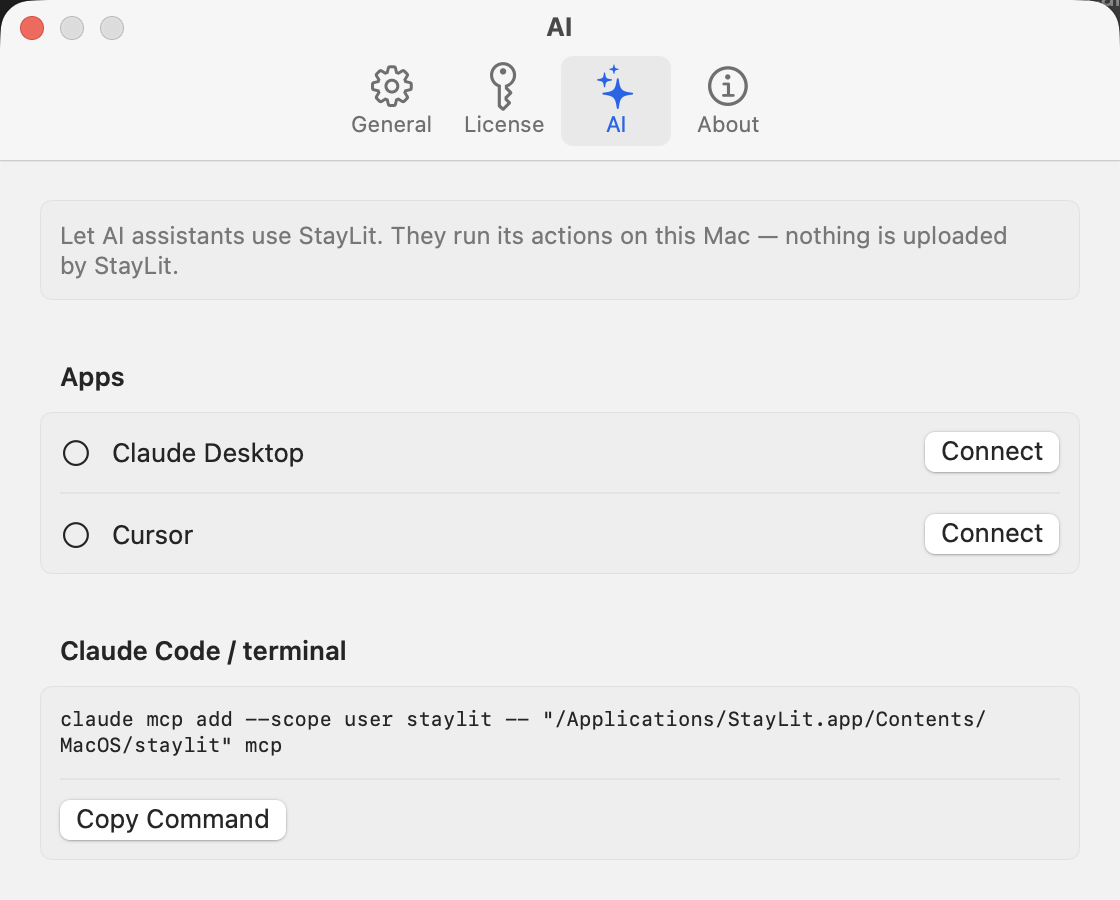
Klicke in der Menüleiste ganz oben auf das Awakelet-Symbol → Settings…. Klicke auf den Tab AI.
- 2
Klicke neben Claude Desktop oder Cursor auf Connect (Verbinden). Kein Tippen, kein Code.
- 3
Beende die KI-App vollständig und öffne sie neu. Fertig – frag jetzt einfach in normalen Worten, zum Beispiel: “Nutze Awakelet: Halt meinen Mac 3 Stunden wach und lass ihn dann schlafen”
Siri & Kurzbefehle: Die Aktionen erscheinen in der Kurzbefehle-App unter Awakelet.
Beispielanfragen
05- “Nutze Awakelet: Halt meinen Mac 3 Stunden wach und lass ihn dann schlafen”
- “Nutze Awakelet: Halt ihn wach, bis Final Cut mit dem Export fertig ist”
- “Nutze Awakelet: Was hält meinen Mac wach?”
- “Nutze Awakelet: Schalte den Mac um 23:30 aus”
- “Nutze Awakelet: Hör auf, den Mac wach zu halten”
Für Technikerfahrene: Claude Code, manuelle Einrichtung, Werkzeugliste, Befehlszeile
Claude Code
Einstellungen → KI → Befehl kopieren, dann im Terminal einfügen.
MCP manuell konfigurieren:
{
  "mcpServers": {
    "awakelet": {
      "command": "/Applications/Awakelet.app/Contents/MacOS/awakelet",
      "args": ["mcp"]
    }
  }
}
Werkzeuge (6)
Toolnamen und Beschreibungen stehen auf Englisch – genau so, wie dein KI-Assistent sie erhält.
| Werkzeug | Funktion | Ändert Dateien? |
|---|---|---|
keep_awake | Prevent this Mac from idle-sleeping until a condition is met (whichever comes first): duration, a clock time, an app quitting, a process exiting, or downloads in ~/Downloads finishing. With no condition it stays awake until stop_keep_awake. Optionally sleep or shut down afterwards (1-minute cancellable warning). Replaces any current keep-awake session. | Ja |
stop_keep_awake | Stop the current Awakelet keep-awake session; the Mac sleeps normally again. Does not sleep the Mac and does not cancel a scheduled sleep/shutdown. | Ja |
awake_status | What is keeping this Mac awake right now: Awakelet's session (and time left), any scheduled sleep/shutdown, and every other app or process preventing sleep (e.g. Zoom, caffeinate). Read-only. | Nein |
schedule_power | Put the Mac to sleep or shut it down at a time, independent of keep-awake. The user gets a 1-minute warning and can cancel. Apps are asked to save documents on shutdown. Only one schedule at a time (replaces the previous one). | Ja |
battery_status | Battery charge %, charging / plugged-in state, time left (or to full), cycle count and health. Check before starting a long job on battery. Read-only. | Nein |
cancel_schedule | Cancel a scheduled sleep or shutdown, including the 1-minute countdown after a keep-awake session ends. | Ja |
Kommandozeile
awakelet list
awakelet keep_awake --duration 3h --then sleep